EV Screen Protectors: Protecting Your Digital Cockpit from Cracks and Glare
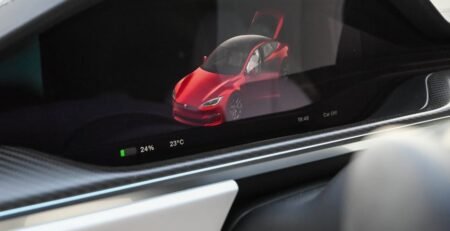
You’ve seen them—the massive, 15-inch or 17-inch “command centers” that define the interior of every modern electric vehicle. From the Tesla Model Y to the Lucid Air and the Rivian R1T, these screens aren’t just for music; they control your mirrors, your climate, your navigation, and your car’s vital settings. But here is the reality: that beautiful piece of glass is a magnet for fingerprints, a source of blinding glare, and a $2,500 repair bill waiting to happen.
I’m Alex Reynolds, a certified technician with 15 years under the hood and at the diagnostic computer. At BestEVAccessories.com, we take a “Safety-First” approach to everything. You might think a screen protector is just about aesthetics, but in 2026, it’s a critical piece of hardware protection for your mobile office.
The Hidden Risk: Why Your EV Screen is More Vulnerable Than a Phone
Most people assume that because their car cost $60,000, the screen must be indestructible. It’s not. In fact, automotive screens are subjected to extreme thermal cycles that your iPhone never faces. In the summer, your dashboard can reach 140°F (60°C). In the winter, it can drop to sub-zero temperatures. This constant expansion and contraction of the glass can make it more susceptible to hairline fractures if it takes a direct hit.
I’ve seen it happen more than once: a driver reaches for a water bottle, the bottle cap or a metal ring on their finger knocks against the corner of the screen, and—crack. Because these screens are capacitive and integrated into the car’s computer system, a single crack can lead to “ghost touches,” where the car starts changing settings or opening menus on its own. That is a major safety hazard while driving at highway speeds.
Matte vs. Tempered Glass: Which One Does a Tech Recommend?
When you browse for EV screen protectors, you’ll usually see two main options: High-Transparency Tempered Glass and Anti-Glare Matte finish. In my experience, the choice depends on your specific environment.
- Tempered Glass (9H Hardness): This is the ultimate for impact protection. It feels exactly like the original screen and maintains 100% clarity. If you have kids who might toss a toy forward or if you’re prone to dropping your phone near the console, get the 9H glass.
- Anti-Glare Matte: This is a favorite for Tesla owners. Because of the glass roof, sun glare can often wash out the screen, making it hard to see navigation. The matte finish diffuses the light and, more importantly, it hides fingerprints. No more wiping the screen every time you get out of the car.
[👉 CLICK HERE TO CHECK THE LATEST PRICE ON AMAZON]
The Technical Side: Oleophobic Coatings and Heat Resistance
A “Reynolds Standard” screen protector isn’t just a slab of glass. In 2026, the best products feature a multi-layer stack. At the bottom is a silicone adhesive that is analyzed for automotive use—it won’t melt or leave a sticky residue on your $2,000 screen even after years of summer heat. Above that is the tempered glass layer, and on top is an Oleophobic coating.
This coating is what repels the oils from your skin. In the shop, I test this by using a permanent marker. On a cheap, unvetted protector, the marker sticks. On a high-quality protector, the ink beads up and can be wiped off with a dry cloth. This is what keeps your digital cockpit looking brand new. When you’re driving a high-tech machine, you don’t want it looking like a greasy iPad.
Safety Warning: Avoiding “Ghost Touches” and Sensitivity Issues
I cannot emphasize this enough: avoid the $5 unbranded protectors. I’ve seen cases where low-quality glass interferes with the screen’s touch sensitivity. In an emergency, if you need to quickly tap the hazard lights or defrost button (which are on the screen in some models), a laggy screen is dangerous. At BestEVAccessories.com, we only recommend protectors that are specifically analyzed for the car’s sensor frequency. If it’s not safety-vetted, it shouldn’t be on your dashboard.
Pros and Cons Table: Screen Protection
| Type | Pros | Cons |
|---|---|---|
| Tempered Glass | Maximum impact protection; crystal clear view. | Can still reflect direct sunlight. |
| Matte Finish | Zero fingerprints; eliminates glare from glass roofs. | Slightly “softens” the image sharpness. |
[👉 CLICK HERE TO CHECK THE LATEST PRICE ON AMAZON]
Installation: The Technician’s 3-Step Process
People are terrified of bubbles. I get it. But installing a 15-inch protector is easier than a phone because you have more room to work. Here is how we do it in the shop:
- The Steam Trick: If you can, park in a garage after a rain or use a humidifier. This drops the dust out of the air. Clean the screen with 70% Isopropyl Alcohol first.
- Alignment Frame: Always buy a kit that includes a plastic alignment frame. It snaps over the screen and ensures the protector is perfectly centered. If you try to eye-ball it, it will be crooked.
- Center-Out Pressure: Tap the center of the glass and watch the adhesive spread. Use a squeegee to push any remaining air toward the edges. If you see a tiny bubble, don’t panic—it usually disappears within 24 hours as the silicone cures.
Frequently Asked Questions (FAQ)
1. Does a screen protector affect the warranty?
No. It is a non-permanent accessory. However, if your screen cracks *without* a protector, Tesla or Rivian might claim it was due to impact (user error) and deny the warranty claim.
2. Can I remove it later?
Yes, it peels off just like a phone protector. The silicone adhesive leaves zero residue.
3. Why is matte better for Teslas?
Because Teslas have expansive glass roofs, glare is a constant issue. Matte protectors solve this while keeping the screen smudge-free.
4. Does it work with “Screen Clean” mode?
Yes. Every EV has a mode to disable touch for cleaning. Use this during installation to avoid accidentally triggering car functions.
5. Will it survive 120-degree summers?
If it’s a vetted, automotive-grade protector, yes. Cheap ones might peel at the edges due to heat.
Protecting your tech is protecting your drive. Have you ever had a scary moment with a glare-blinded screen? Let me know in the comments. Stay safe and keep those screens clear!